How to Actually Evaluate a Voice AI Vendor: A Buyer’s Checklist
 HeybreezAI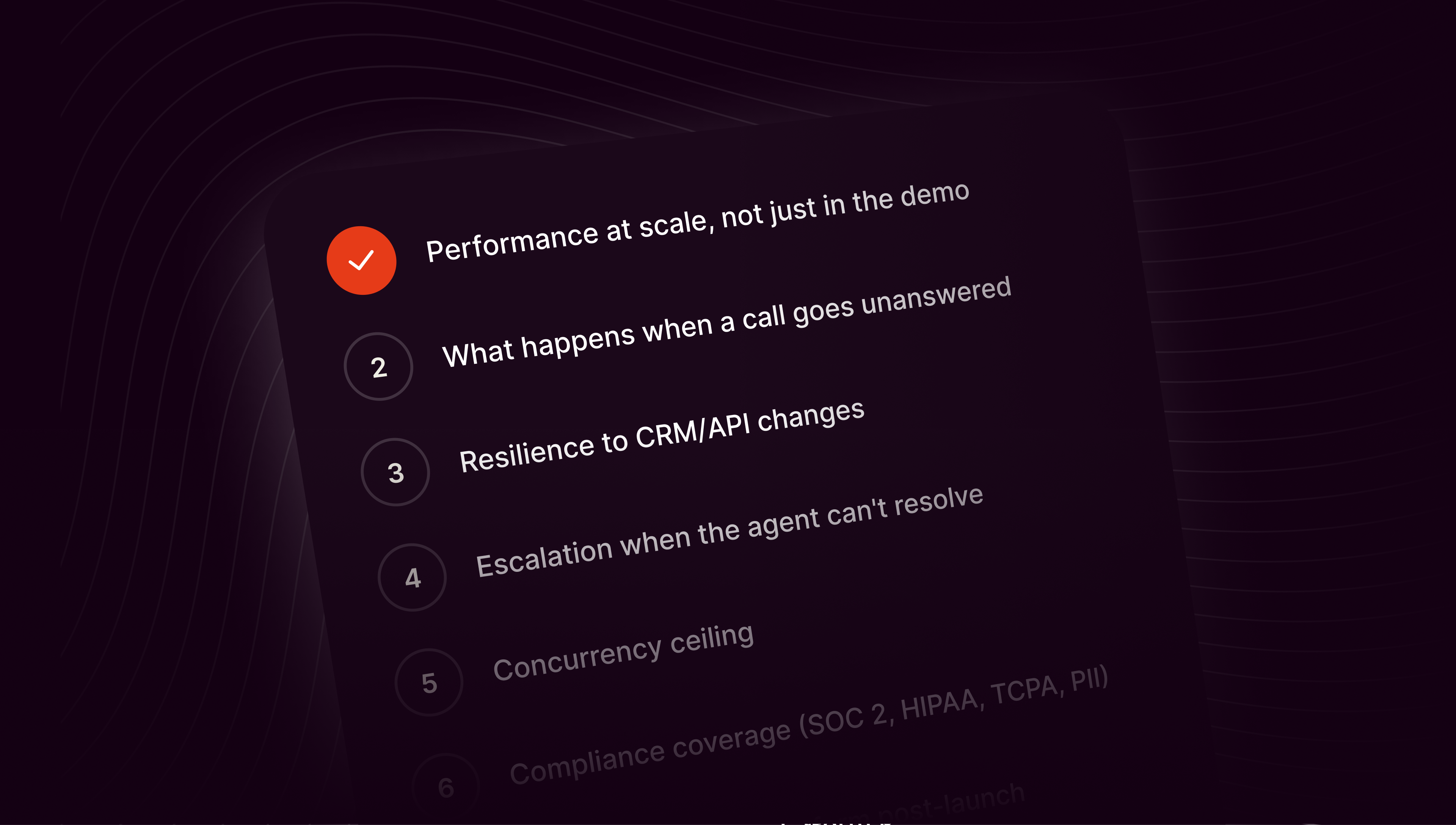
The demo will always be great. Here are the ten questions that separate a vendor who will scale with you from one who will hand you the hard work.
The voice AI evaluation cycle usually goes like this. A vendor sales team runs a demo. The agent sounds human. The transcript looks clean. The buyer signs. Six months later, the operations team is quietly building all the pieces the demo skipped. Retries. Callbacks. Error handling. Integrations. The engineering roadmap gets rewritten around the platform’s missing parts, and the next vendor evaluation begins.
There is a better way to evaluate voice AI. Ask questions the demo cannot answer.
We built HeyBreez by watching that evaluation loop break down over and over. Ten questions kept showing up in the post-mortems. If a buyer had asked them upfront, they would have picked a different vendor. Sometimes they would have picked us. Sometimes they would not have. Either way, they would not have been surprised.
Here is that checklist. Ten questions. What to ask. Why it matters. What a good answer looks like, and where to keep an eye out for red flags.
1. What happens on the hundredth call, not the first?
A demo is a controlled environment. A quiet line. A well-scripted question. A test caller who knows the flow. Production is none of those things. The right first question is about what a vendor’s platform does when the calls stack up and the conditions get messy.
A good answer. Specific numbers. Uptime at scale. Concurrency ceiling. Dropped-call rate under load. Named customers running at real volume, with the daily call counts to prove it. A vendor with real production experience can rattle off those numbers without checking their notes.
A red flag. Every example the vendor cites is a single call recording. The word “scale” appears on the website but the case studies do not. “Enterprise-grade” gets used as a stand-in for actual performance data.
2. When the caller does not pick up, what does the platform actually do?
This is the operational-layer question in one line. Most voice AI vendors ship the call. The operational layer is what happens between calls, after the line goes quiet, and when the caller was not there in the first place. Retries. Callbacks. Follow-up text. Escalation to a human. It is where deployments break at scale.
A good answer. The vendor names retries and callbacks as first-class features, configurable in the workflow. They can describe exactly what happens on attempt one, attempt two, attempt three. They talk about business hours, time zones, and per-customer retry policies.
A red flag. “We return a webhook and you handle the rest.” “That is on your team to build.” The retry is a page in the docs, not a feature in the product.
3. How does the platform handle a change in your CRM’s API?
Every voice AI deployment sits inside a stack of other systems. Your CRM (customer relationship management tool, where the customer records live, like Salesforce or HubSpot). Your calendar. Your billing platform. Voice AI reaches into each of them through an API, which is the interface software uses to send and receive data from other software. And APIs change. Salesforce updates an endpoint. HubSpot deprecates a field. A vendor rotates a token. If every upstream change breaks your voice AI, you haven’t bought a product. You’ve hired a maintenance job.
A good answer. The platform abstracts integrations at the workflow level. Native connectors with versioning. Update once, in one place, and the workflow keeps running.
A red flag. Every integration is a hand-coded HTTP request buried inside a script. When the API changes, someone on your team goes hunting.
4. Where does the call go when the agent cannot resolve it?
Real operations always have edge cases. A confused customer. A dispute. A question the model has never seen. The platform’s ability to hand off cleanly is the difference between a professional operation and a broken one.
A good answer. Configurable escalation paths, built in. Live-agent handoff, a Slack ping to a human, ticket creation in the customer’s tool of choice, callback booked into the calendar. The buyer can specify per-scenario what happens when the agent hits its ceiling.
A red flag. “The agent says goodbye and the call ends.” No structured handoff. No downstream ticket. The customer’s problem simply disappears from the system.
5. What is the platform’s actual concurrency ceiling?
A voice AI vendor that comfortably handles fifty concurrent calls is a different product from one that handles five thousand. You need to know before you commit, because migrating later is painful and expensive.
A good answer. A named ceiling, backed by named customers at that ceiling. “Ten thousand concurrent inbound calls with sub-second time to first token, on this named deployment.” Numbers, not adjectives.
A red flag. “It is cloud-based.” “It scales elastically.” “We have not hit a ceiling yet.” All of these are answers a vendor gives when they have not stress-tested at your target volume.
6. Which compliance regimes does the platform handle by default?
Voice AI runs into real regulation. TCPA on outbound calling. HIPAA on healthcare. DNC scrubbing. PII redaction. If a vendor treats compliance as “something you configure,” they are shifting risk onto your team. If they treat it as a feature roadmap, they are shifting it onto your calendar.
A good answer. SOC 2 and HIPAA at minimum. TCPA-aware calling logic that respects time zones, DNC lists, and consent tracking. PII redaction in transcripts by default. Encrypted in transit and at rest.
A red flag. “We are working on compliance features.” Any regime named as a future release. Compliance responsibility pushed back onto the buyer without a clear mechanism for meeting it.
7. Who inside your company operates the platform after go-live?
This question has the biggest impact on total cost. If the answer is “your engineering team,” the maintenance burden compounds forever. If the answer is “the office manager, the ops lead, the sales lead,” the platform gets updated as the business changes, without a ticket.
A good answer. A no-code workflow canvas. Non-technical operators can configure and update flows. Deployment does not require a developer. The team that owns the operation owns the tool.
A red flag. Every change requires a developer. The workflow lives in a codebase. Voice AI updates enter the engineering backlog behind every other feature request.
8. What is the true cost at your expected volume, including labor?
Sticker price is not cost. Vendor bills are one line item on a spreadsheet that also has to include engineering time to build the operational layer, DevOps time to run the retry infrastructure, ongoing maintenance on integrations, and the opportunity cost of a team spending its quarter on scaffolding.
A good answer. A vendor who will walk through the full total cost, honestly. They know that at ten thousand calls a day, their bill is a fraction of the buyer’s operational load. They will name the number.
A red flag. A quote based only on API cost per call. No mention of the engineering hours needed to make the deployment production-ready. The pricing page reads like a math problem, not a business plan.
9. How long from contract to production?
Some voice AI vendors quote six-month implementation timelines. Others go from signature to live agent in an afternoon. The difference is not a matter of urgency. It is a matter of how much the platform expects the customer’s team to build.
A good answer. Days to weeks for a first workflow. Named customer stories with the actual timelines: “Zain Jordan built a working flow in two hours on their first day.” “Wafeq shipped an analytics integration in one week.”
A red flag. “It depends on your team’s capacity.” Any timeline measured in quarters. Implementation described as a project rather than a product.
10. What does the platform not do?
A vendor who admits limits is a vendor who has been in production. A vendor who claims the platform does everything is either not paying attention or hoping you are not.
A good answer. Specific scope. Specific limits. Honest guidance about what the platform is not designed for. This is the answer of a team that has watched real customers hit real edges and knows the shape of the tool.
A red flag. “Anything you need, we build.” “Full flexibility, unlimited customization.” Nothing the platform will not attempt.
How HeyBreez holds up to the checklist
We built HeyBreez to answer these questions without an asterisk.
The operational layer is the product. Retries, callbacks, integrations, escalation, follow-up. All first-class features on the canvas, not scripts the buyer’s engineers write. The workflow canvas is designed for operators. Office managers, sales leads, dispatchers. Not engineers.
The platform handles high call volume in production. Some customers run 50,000+ calls a day on HeyBreez. Time from sign-up to a working flow is measured in hours, not months. One customer built a working demo in two hours on day one.
SOC 2 and HIPAA. TCPA-aware calling. PII redaction. Encrypted in transit and at rest. Compliance built in, not bolted on later.
On limits, we are direct. HeyBreez is designed for teams running voice as a real operation, at real volume. It is not a hobbyist tool. It is not the cheapest way to get a chatbot on the phone. If a buyer needs a five-dollar-a-month agent for a personal project, we will point them elsewhere with a smile.
The takeaway
Ten questions. A short conversation that could save a quarter of engineering time and a customer relationship you will not get back.
The right vendor answers all ten without flinching. The wrong one gets creative.
Ask the questions before you sign. The demo is not the answer.